

The AI space is moving fast, and today one of the biggest choices creators and professionals face is picking the right personal AI tool. NotebookLM from Google and AFFiNE AI stand out as two very different approaches to handling knowledge and ideas.
NotebookLM focuses on turning uploaded sources into smart summaries and conversations, while AFFiNE AI works as a full workspace where notes, whiteboards, and tasks all live together with built-in AI help.
The big question comes down to this: Are you mainly doing deep research where every answer must stay tied to your own files? Or do you need a flexible system to manage ongoing projects, brainstorm visually, and edit documents in real time? This comparison breaks down both tools side by side so anyone can see which one actually fits their daily work.

NotebookLM launched as Google’s answer to messy research notes. It takes PDFs, Google Docs, web links, and even audio files, then lets users ask questions that stay grounded only in what they uploaded. Its most talked-about feature turns those sources into a two-host podcast-style audio overview that feels surprisingly natural.
AFFiNE AI, on the other hand, started as an open-source project aiming to combine the best parts of Notion and Miro. It offers block-based writing, infinite canvases for whiteboards, databases, Kanban boards, and an optional AI copilot that can pull ideas from your workspace or even search the web when needed.
Both tools try to make knowledge work easier, but they solve completely different problems. NotebookLM shines when you want strict accuracy and zero hallucinations outside your sources.
AFFiNE AI wins when you need one place to write, draw, plan, and collaborate without switching apps. The rest of this review looks at how they compare in practice, feature by feature, so readers can decide which direction matches their workflow.
Core Philosophies: Research vs. Workspace
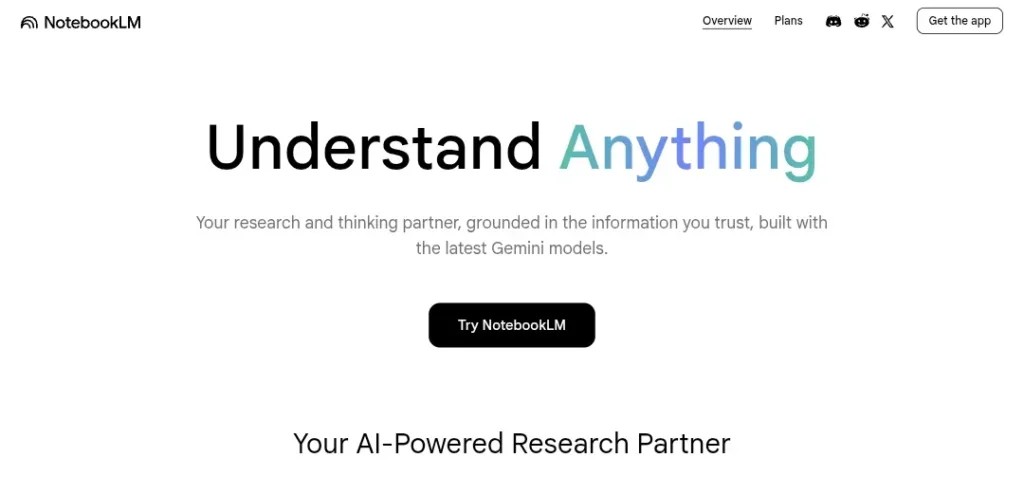
NotebookLM follows a strict “source-grounded” philosophy. The AI refuses to answer anything it cannot find directly in the files a user uploads. This design choice keeps every response accurate and traceable.
Google built it this way on purpose so researchers, students, and journalists never worry about made-up facts. The tool treats your uploaded collection like a private library, the AI only reads that library and never steps outside it.
AFFiNE AI takes the opposite route with an “all-in-one” knowledge base approach. It blends documents, whiteboards, databases, and AI into one editable workspace.
Users can start with a quick note, turn it into a mind map on the canvas, add tasks in a Kanban view, and let the AI help rewrite or expand everything in place. The philosophy here is flexibility and speed, the workspace grows with the project instead of staying locked to static sources.
This difference shows up right away in daily use. NotebookLM users upload a stack of research papers and then ask targeted questions. The AI answers with footnotes pointing back to exact pages.
AFFiNE AI users open a single page, drop ideas onto a canvas, connect them with lines, and ask the AI to turn those scattered notes into a structured report or presentation. One tool stays inside the lines for safety; the other encourages creative movement across the whole page.
Feature-by-Feature Comparison
AI Models
NotebookLM runs on Google’s Gemini 1.5 Pro model. This gives it strong reasoning power and the ability to handle very long contexts, up to 1 million tokens in some cases. The model stays tightly controlled so it never invents details. AFFiNE AI uses a multimodal copilot that supports multiple models behind the scenes.
Users can switch between different AI engines depending on the task, and the copilot can reach outside the workspace to pull fresh web information when allowed. This makes AFFiNE AI more versatile for brainstorming sessions that need current data, while NotebookLM stays safer for academic or legal work where accuracy matters most.
Data Input
NotebookLM accepts PDFs, Google Docs, copied text, web URLs, audio files, and even YouTube links. Users simply drag files into a new notebook and the system indexes everything instantly. There is no editing of the original sources, the AI only reads and summarizes.
AFFiNE AI works with a block-based editor similar to Notion. Users type directly inside the workspace, drag in PDFs (with improved handling in recent updates), paste web links, embed images, or draw on the infinite canvas.
The block system lets people turn a simple bullet list into a full database or whiteboard in seconds. This live editing gives AFFiNE AI a clear edge for users who want to build and refine content at the same time.
Unique Features
NotebookLM’s signature feature is Audio Overviews. One click turns an entire notebook into a realistic podcast conversation between two AI hosts. The hosts discuss key points, disagree on details, and even add light humor while staying completely faithful to the sources.
Many users say this format helps them understand dense material faster than reading alone. AFFiNE AI stands out with its Edgeless Canvas whiteboard and built-in Kanban boards.
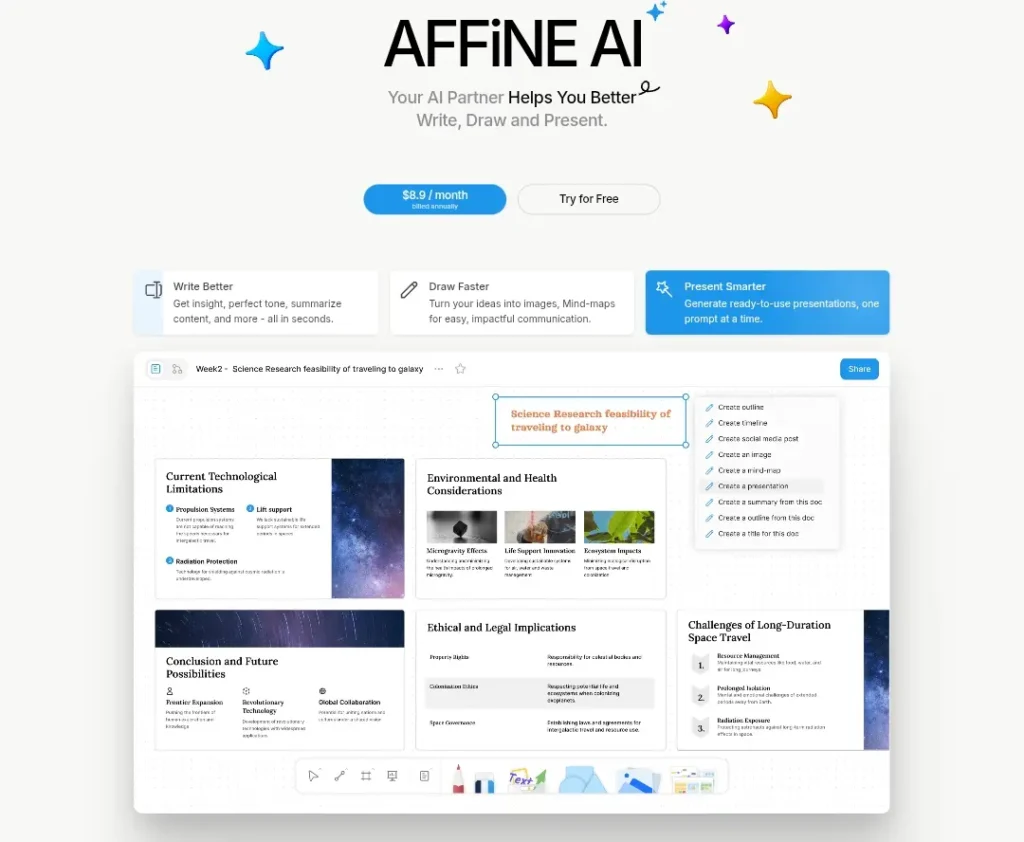
Users can draw mind maps, connect notes with arrows, switch seamlessly between document view and visual canvas, and generate one-click presentations from any page.
The AI copilot can turn a messy canvas into clean slides or suggest task breakdowns automatically. These creative tools make AFFiNE AI feel more like a digital studio than a simple note app.
Accuracy & Hallucination Test
NotebookLM wins when strict accuracy is required. Because the AI only speaks from uploaded sources, hallucinations drop to almost zero. Every answer comes with clickable citations and footnotes that jump straight back to the original page or paragraph.
In tests with research papers, the tool correctly refused to answer questions outside the provided files and always showed exact references. This reliability makes it the go-to choice for anyone writing reports, theses, or legal summaries where mistakes could cause real problems.
AFFiNE AI handles accuracy differently through real-time document editing and AI assistance. The copilot suggests rewrites, generates summaries, or pulls in external facts when web access is enabled. This flexibility helps during live brainstorming, but it also introduces a small risk of minor inaccuracies if the user does not double-check.
The strength here lies in speed and iteration, users can ask the AI to expand a section, then edit the result immediately inside the same block. For creative or project-based work where ideas evolve quickly, this live editing feels more natural than NotebookLM’s read-only approach.
Both tools reduce hallucinations compared to general chatbots, but they do it in opposite ways. NotebookLM locks the AI inside the sources. AFFiNE AI gives the AI room to move while letting users fix issues on the spot.
Pricing & Accessibility
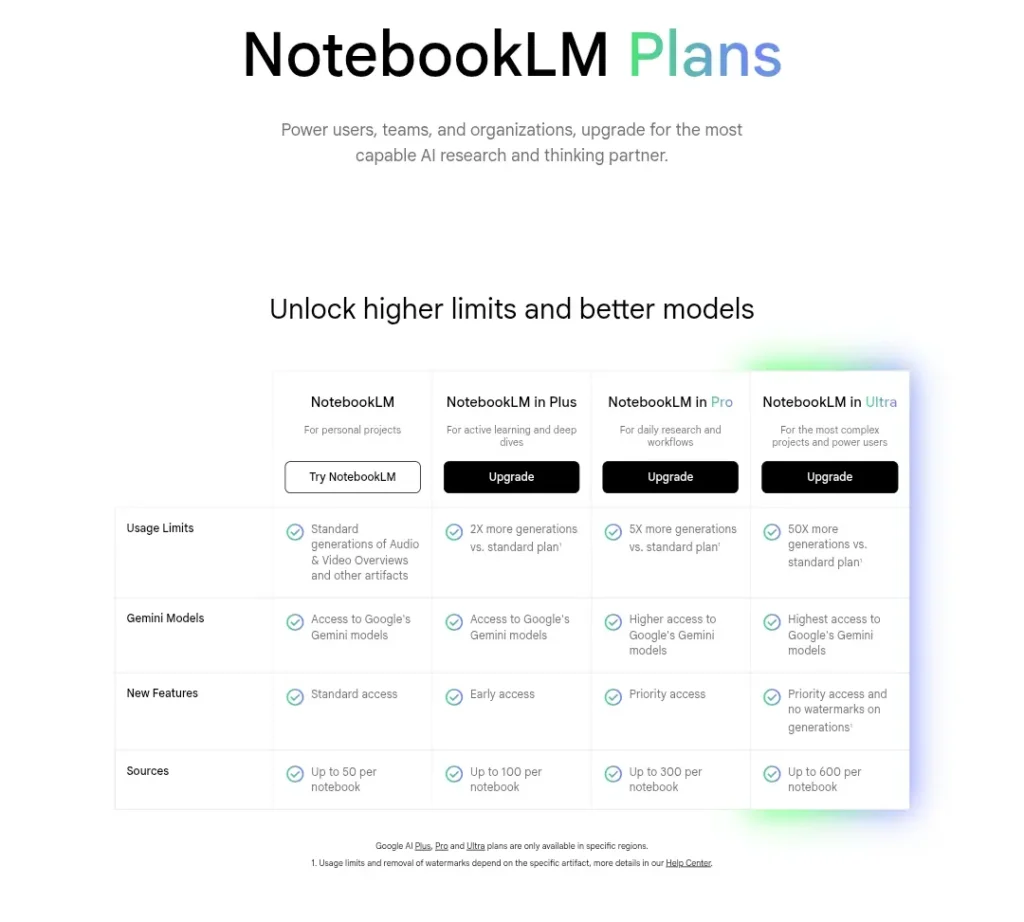
NotebookLM remains completely free as of early 2026. Google offers unlimited notebooks and Audio Overviews with no credit limits or paywalls for core features. The only restriction is the need for a Google account and occasional wait times during peak usage. This makes it instantly accessible to students, independent researchers, and anyone on a budget.
AFFiNE AI follows a freemium model with strong open-source roots. The core workspace is free forever when self-hosted or used on the basic cloud plan (10 GB storage). Users who want the full AI copilot pay $8.90 per month (billed annually).
Cloud Pro storage upgrades cost $6.75 per month for 100 GB, and team plans start at $10 per seat. Self-hosting gives complete data control and no ongoing fees beyond server costs. This mix of free self-hosted options and affordable paid add-ons makes AFFiNE AI attractive for freelancers, small teams, and privacy-conscious users who do not mind a small setup step.
Use-Case Verdict: Kiske liye kaunsa?
NotebookLM fits best for PhD students, journalists, and heavy readers who spend most of their time analyzing existing material. Anyone who needs to digest long reports, compare multiple sources, or create quick audio summaries for study or review will appreciate its focused design.
The tool stays out of the way and delivers trustworthy answers without extra features getting in the way.
AFFiNE AI works better for startup teams, designers, and product managers who juggle multiple moving parts. Teams that need to brainstorm on whiteboards, track tasks in Kanban boards, write live documents, and turn ideas into presentations in one place get more value here. The flexible canvas and real-time AI help keep projects organized while creativity flows.
Pros & Cons (Side-by-Side Table)
| Aspect | NotebookLM Advantages | NotebookLM Drawbacks | AFFiNE AI Advantages | AFFiNE AI Drawbacks |
|---|---|---|---|---|
| Accuracy | Zero hallucinations outside sources, perfect citations | Cannot add external knowledge | Real-time web access when needed | Small risk of minor inaccuracies if unchecked |
| Creativity & Flexibility | Strong audio summaries for learning | No editing or visual tools | Infinite canvas, mind maps, one-click presentations | Learning curve for block and canvas system |
| Collaboration | Simple sharing of notebooks | Limited real-time editing | Live team editing, comments, task assignment | Self-host setup required for full privacy |
| Pricing | Completely free | No advanced workspace features | Free self-hosted core, affordable AI add-on | AI copilot and extra storage cost extra |
| Ease of Use | Simple upload-and-ask interface | Read-only sources | All-in-one workspace for entire projects | More features mean more options to learn |
| Data Control | Google account security | Everything stays in Google cloud | Full self-hosting option, local-first | Cloud plan has storage limits on free tier |
The choice comes down to workflow needs rather than which tool is “better.” NotebookLM delivers reliable research support at zero cost.
AFFiNE AI gives a complete creative workspace that grows with projects. Many users end up keeping both NotebookLM for deep analysis and AFFiNE AI for turning that analysis into living documents and team deliverables.
This comparison shows how two strong tools can serve very different purposes without overlapping too much. Researchers who value strict grounding will lean toward NotebookLM.
Teams that need visual planning and live editing will find AFFiNE AI more practical. The right pick depends on whether the main goal is accurate knowledge extraction or flexible project building.
Both options push personal AI forward in their own way, and testing each one for a week reveals quickly which philosophy matches real daily habits.