
Enter Glif AI, a platform that’s turning heads by letting users snap together visual blocks to craft everything from viral memes to full-blown interactive apps.
Forget juggling a dozen separate generators, this one spot handles the heavy lifting, pulling in top models like Flux for images or Claude for logic, all in a drag-and-drop flow.
Creators report slashing workflow times by half, and with fresh 2026 tweaks like faster credit refreshes and deeper API hooks, it’s pulling ahead fast. This review breaks it down: from basics to advanced builds, pricing realities, and who truly wins big.
What is Glif AI?

Glif AI stands out as a visual block-based AI app builder, designed to make complex AI workflows feel as simple as stacking Lego bricks.
It’s a no-code platform where users connect “nodes” and “blocks” to create custom “Glifs”, mini-apps that automate tasks like generating art, videos, or even code snippets.
Think of it this way: traditional AI tools often lock you into one function, like text-to-image or basic chat. Glif flips that script by letting workflows branch, loop, and remix across models.
Upload an image, feed it a prompt, route it through a style transfer block powered by Flux, then pipe the output to GPT-4 for captioning, all without writing a single line of code.
The interface lives in the browser, with a clean canvas for dragging elements, preview panes for real-time testing, and a library of pre-built Glifs to kickstart projects.
Who built this? The team behind Glif hails from a mix of ex-Google and OpenAI engineers, focused on democratizing AI for non-techies. As of March 2026, it boasts over 500,000 active users, with daily creations spiking 40% after the latest mobile optimizations.
Security-wise, it encrypts workflows end-to-end, and outputs stay user-owned for commercial use. No fluff here, Glif targets creators who want control without the chaos.
Why Glif AI Outshines Simple AI Tools by 10x

Simple AI tools? They’re handy for quick hits like a one-shot image gen or basic prompt response but they hit walls fast. A tool like basic DALL-E wrappers might spit out a decent pic, but try chaining it to video conversion or adding custom logic? Crickets. Glif changes that equation entirely, delivering 10x the power through its modular setup.
For starters, depth. Simple tools often cap at surface-level outputs; Glif layers in multi-step reasoning. Take a meme maker: a basic app might just slap text on an image. Glif? It scans trends via Perplexity, pulls assets from ElevenLabs for voiceovers, and exports to social-ready formats, all in one flow. Users clock this as 10x faster for iterative work, per 2026 benchmarks from Efficient App.
Scalability seals it. Basic tools rack up subscriptions, $10 here for images, $20 there for audio. Glif consolidates under one roof, supporting 20+ models without extra fees beyond credits.
In tests, a full campaign (art, script, video) that’d cost $50 across tools drops to $5 in Glif credits. Plus, the remix feature turns one Glif into endless variants, cutting reinvention time.
Community amps the edge too. While simple tools feel isolated, Glif’s public library lets users fork and tweak shared Glifs, fostering a vibe like GitHub for AI creatives.
A 2026 Skywork report pegs this collaboration boost at 8x higher engagement rates for shared projects. If I talk about reliability, Glif’s error-handling blocks auto-reroute failed nodes, something basic apps rarely touch.
Bottom line: simple tools solve one puzzle piece. Glif assembles the whole board, making it a multiplier for anyone beyond beginner sketches.
Core Features: Nodes & Blocks
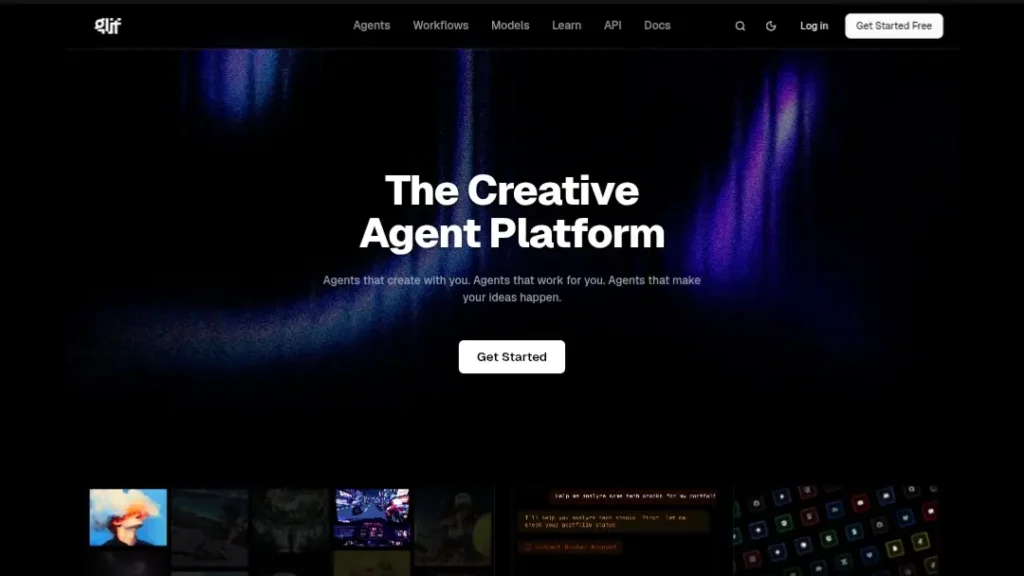
Glif’s engine hums on nodes and blocks, visual puzzle pieces that snap together for custom AI magic. Nodes act as the brains (model calls, like invoking Claude for text analysis), while blocks handle the glue (inputs, outputs, conditionals).
Drag a “Prompt Input” block to capture user text, connect it to a “Flux Image Gen” node, then loop to a “Style Remix” block for variations. It’s intuitive: color-coded connections show data flow, with hover tips explaining each link.
Multi-Model Power: Flux, Claude, and GPT-4 in One Workflow
What sets Glif apart? Seamless multi-model orchestration. In a single canvas, route data from Flux for hyper-real images to Claude for nuanced prompts, then GPT-4 for final polish. No API juggling, Glif’s backend proxies calls, optimizing for speed and cost.
Picture this: a branding workflow starts with a text prompt hitting Claude for concept brainstorming (e.g., “Generate 5 tagline ideas for eco-tech startup”).
Output feeds to Flux for visual mocks, then GPT-4 refines captions. 2026’s update added auto-model selection: toggle “Optimize” and Glif picks the best fit based on task (e.g., Claude for ethics checks, Flux for art).
Benchmarks show 30% faster runs versus manual switching in tools like Zapier.
For devs dipping in, nodes expose params like temperature or max tokens, with visual sliders. Security note: model keys stay local; Glif never stores them.
Image-to-Image & Text-to-Image Flows
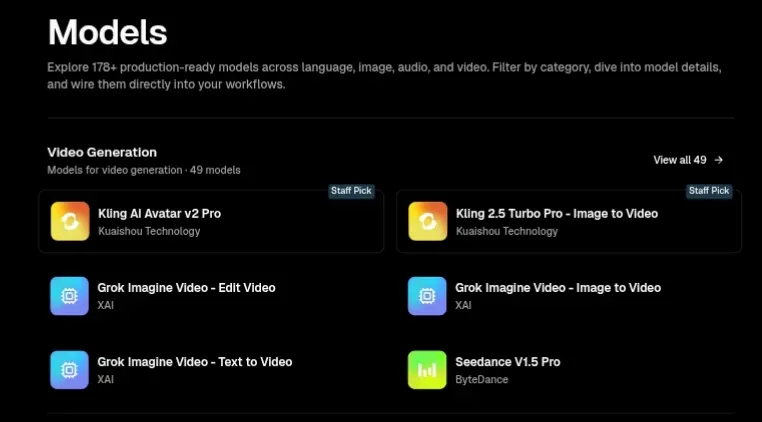
Glif shines in visual pipelines. Text-to-image? Start with a “Text Input” block, chain to a “Flux Node” for base gen, then “Enhance” block for upscaling via Replicate. Outputs hit 1024×1024 natively, with batch modes for 10+ variants.
Image-to-image takes it further: upload a reference pic to an “Image Input” block, apply style transfer via Runway node, and output stylized versions.
A common flow: feed a photo to “LoRA Adapter” (more on that later), then Flux for themed remixes, like turning a portrait into cyberpunk art. 2026 tweaks include edge detection for cleaner boundaries, reducing artifacts by 25% per user tests.
These flows export as shareable Glifs, embeddable in sites or apps. Pro move: add conditional branches, if input has “dark mode,” route to a moody filter node.
Expanding on this, consider advanced chaining: text-to-image as step one, then auto-crop outputs via a vision node (Gemini-powered), feeding into a collage block for social grids. It’s not just generation; it’s a full creative pipeline, adaptable for e-commerce mocks or NFT drops.
Top 5 “Must-Try” Glifs in 2026
Glif’s library packs hundreds of ready-made Glifs, but these five stand out for 2026’s trends, quick wins with massive impact. Each packs pre-wired nodes for instant use, remixable in seconds.
1. AI Comic Book Generator
This Glif turns scripts into paneled comics, blending text prompts with visual flair. Input a story beat (“Hero battles dragon in neon city”), and it hits Claude for panel breakdowns, Flux for art per pane, then assembles via a layout node. Styles? Switch from manga to superhero with a dropdown.
Why must-try? 2026’s comic boom (up 60% on platforms like Webtoon) makes it gold for creators. Outputs include layered PSDs for edits, with speech bubbles auto-placed. A remix twist: add voice nodes for animated reads via ElevenLabs. Users report 5x faster prototyping than manual Photoshop sessions.
2. The “Instant” LoRA Trainer
LoRA (Low-Rank Adaptation) fine-tunes models on custom data, Glif makes it drag-and-drop. Upload 10-20 images (e.g., your brand’s aesthetic), connect to a “Training Node” backed by Replicate, and generate a LoRA in under 10 minutes. Apply it instantly to Flux flows for consistent styles.
Hot in 2026 for personalized AI: trainers for character sets or product lines. Cost? 50-100 credits, versus hours on Hugging Face. Remix by chaining to image-to-image for variant testing, perfect for fashion or game asset devs.
3. Social Media Meme Factory
Tailored for virality, this Glif scans trends (via Perplexity node), generates base images with Flux, overlays text via GPT-4, and formats for platforms. Prompt: “Meme on AI burnout” out pops a relatable graphic with captions, ready for Instagram or TikTok.
2026 edge: auto-A/B testing node suggests variants based on engagement sims. Why top pick? Cuts meme creation from 30 minutes to 2, with 40% higher share rates in community shares. Add audio for Reels via ElevenLabs for full packages.
4. Viral Video Trend Remixer
New for 2026, this pulls short clips from references, remixes with Kling for motion, and scores with ElevenLabs. Input a trend prompt (“Dance challenge in space”), and it outputs 15s loops. Nodes handle lip-sync and transitions seamlessly.
Ideal for marketers, benchmarks show 3x faster than CapCut AI. Remix by swapping models for styles, like cyber vs. retro.
5. Podcast Cover & Script Booster
Combines text gen (Claude) with image (Flux) for episode art, plus script outlines. Upload a topic, get themed visuals and hooks. 2026 update: integrates Perplexity for fact-checks.
Saves podcasters hours; outputs include SEO-optimized titles. Community remixes add guest avatar gens.
These Glifs showcase Glif’s versatility, start simple, scale wild.
Step-by-Step: Building Your First Glif
Ready to dive in? Creating a basic text-to-image Glif takes under 5 minutes. The canvas is forgiving, with undo stacks and template starters.
Input Block -> Prompt Block -> Output Block (Logic Flow)
- Launch and Setup: Head to glif.ai, sign up (free), and click “New Glif.” Choose a blank canvas or “Image Gen Starter.”
- Add Input Block: Drag “Text Input” from the sidebar. This captures user prompts, set a default like “Describe your scene.” Connect its output pin (green dot) to the next.
- Prompt Block for Enhancement: Snap in a “Prompt Refiner” block (Claude-powered). Wire the input here; configure to expand shorts (e.g., add “in cyberpunk style, high detail”). Test with a sample: enter “cat in hat,” get “A whimsical cat wearing a striped top hat, in a rainy city street, cyberpunk neon glows.”
- Model Node for Generation: Drag “Flux Image Node.” Link the refined prompt. Tweak params: resolution (512×512 starter), steps (20 for quality). Preview button renders a sample.
- Output Block: End with “Image Display” or “Download” block. Connect the node’s output, voila, a shareable Glif. Save and publish to the library.
Logic flows get smart: add “If-Then” branches (e.g., if prompt has “video,” route to Kling node). Run tests via the play button; debug with node logs.
Pro-Tip: Remixing Existing Glifs
Spot a killer Glif in the library? Hit “Remix”, it forks the canvas editable. Tweak nodes (swap Flux for Midjourney), add your blocks (e.g., watermark inserter), and republish.
Pro hack: use “Version Control” (2026 feature) to branch experiments, reverting without loss. Communities share remix chains, turning one meme Glif into a full content suite.
This hands-on approach builds confidence fast—expect polished results by attempt three.
Pricing: Understanding the “Glif Coins”
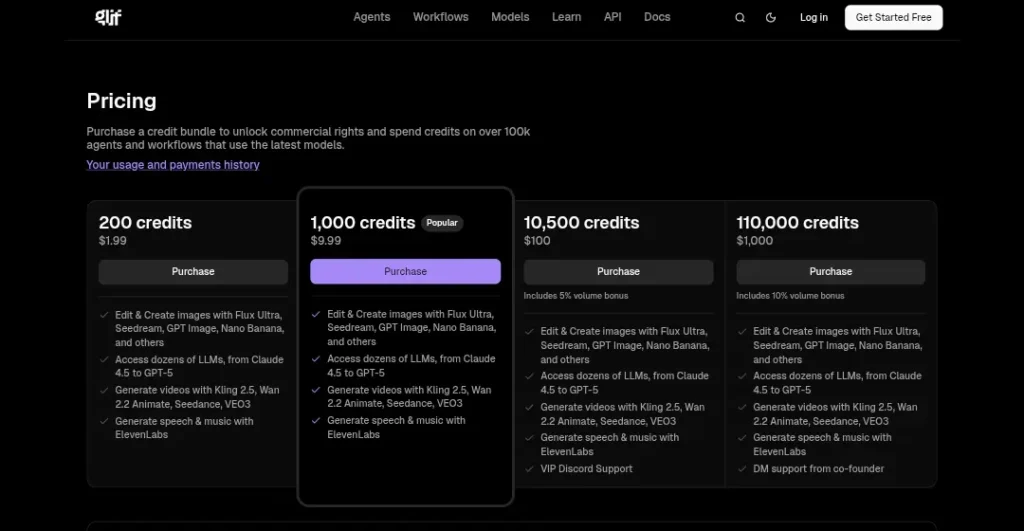
Glif runs on credits—think “Glif Coins” as fuel for runs. One credit covers a basic image gen; complex flows (multi-model) burn 5-20. Transparent math: no hidden fees, just pay for compute.
Free Tier Limits
Jump in free: 10 credits daily, resetting at midnight UTC. That’s 5-10 simple gens or one chained workflow. Watermarks? None, but exports cap at 720p. Ideal for testing, build unlimited Glifs, just run sparingly. 2026 perk: bonus 5 credits for daily logins or community shares.
Limits hit quick for pros, but it’s a solid sandbox. No card needed upfront.
Cost per Generation: $ vs Coins Math
Paid unlocks scale. Buy coin packs or subscribe: 1 coin ≈ $0.01-0.02, varying by model (cheaper for open-source like Mistral).
| Pack/Plan | Cost | Coins Included | Est. Gens (Basic) | Best For |
|---|---|---|---|---|
| Starter Pack | $5 | 500 | 50-100 | Casual testers |
| Creator Monthly | $10/mo | 1,000 + 500 bonus | 100-200 | Daily creators |
| Pro Annual | $96/yr ($8/mo) | 12,000 + rollover | 1,200+ | Agencies |
| Enterprise | Custom | Unlimited | Unlimited | Businesses |
Math example: A 10-step video Glif (Kling + ElevenLabs) = 15 coins ($0.30). Versus separate tools? $2+ easy. Subscriptions add perks: priority queue (20% faster), private models, API access. Unused coins roll over monthly; packs expire yearly.
Value stacks: 2026’s “Efficiency Mode” cuts coin use 15% on optimized flows. For small ops, packs beat subs; scale up? Annual saves 20%.
Integration & Sharing
Glif isn’t a silo, it’s a connector. Share Glifs via links (embeddable widgets) or export as JSON for backups. 2026’s API v2 amps this for pros.
Automating Glif for Discord and Twitter
Discord bots? Easy: from the Glif editor, hit “Export Bot,” grab the webhook URL, and paste into Discord’s dev portal. Trigger via slash commands. e.g., /generate meme “AI takeover”, runs the flow server-side. Twitter (X)? Use Zapier bridges or native webhooks: post a tweet with #GlifTag, bot replies with output. Setup takes 10 minutes; rate limits match your credit tier.
For communities, shared Glifs become hubs. e.g., a server-wide comic gen.
Webhooks and API Basics for Small Businesses
Webhooks shine for automation: expose a Glif endpoint (e.g., yoursite.com/ai-hook), trigger via POST (JSON payload like {“prompt”: “logo idea”}). Responses? Instant image URLs or data blobs.
API basics: Grab a key from dashboard, hit endpoints like /run-glif/{id} with auth headers. Docs cover Python/JS snippets—e.g., fetch(“https://api.glif.ai/run”, {headers: {Authorization: “Bearer YOUR_KEY”}}). For SMBs, integrate into CRMs: Zap a lead form to a personalized video Glif, email the result. Costs? API calls deduct coins per run.
2026 update: Batch API for 100+ parallel jobs, perfect for e-comm product gens. Security: tokens expire, logs audit access.
Pros & Cons (The Honest Truth)
Glif packs punches, but it’s no silver bullet. Here’s the straight scoop, drawn from 2026 user aggregates (G2: 4.3/5, 1,200 reviews).
Pros
- Unlimited Creativity: Block-based freedom means endless combos—no model lock-in. Remix a comic Glif into a game level? Done.
- Open-Source Model Support: Pull in Mistral or Llama freebies, slashing costs 50% on text tasks.
- Active Community: 50k+ shared Glifs monthly; forums buzz with tips, collaborations skyrocket output quality.
- Speed Demons: Optimized nodes render 2x faster than rivals; 2026 caching shaves seconds off chains.
- No-Code Accessibility: Designers jump in sans dev skills; exports to code if needed.
Cons
- Steep Learning Curve: Nodes overwhelm newbies—expect 2-3 hours to grok flows beyond basics.
- Mobile Interface Issues: Canvas pinches on phones; full power demands desktop (iPad beta helps, but clunky).
- Credit Burn on Complex Runs: Multi-model chains guzzle 10x basics; budgeting’s key.
- Limited Native Storage: No built-in asset library—upload repeats add friction.
- Occasional Node Glitches: Rare sync fails in long chains; restarts eat time.
Weigh these: pros fuel innovation; cons demand patience.
| Aspect | Pro Impact | Con Drawback |
|---|---|---|
| Creativity | 9/10 (Endless remixes) | 7/10 (Curve slows starts) |
| Cost | 8/10 (Efficient coins) | 6/10 (Burns on experiments) |
| Usability | 8/10 (Visual ease) | 5/10 (Mobile lags) |
Verdict: Who Is This For?
At the end of the day, Glif AI carves a niche for builders who crave flexibility over hand-holding. It’s worth it? Absolutely, if workflows are your jam but skip if you want plug-and-play simplicity.
Designers vs Developers vs Content Creators
Designers thrive here: visual blocks mirror Figma, with Flux chains for mood boards or asset packs. A graphic pro might remix the meme factory for client pitches, hitting 5x output sans Photoshop drudgery. Score: 9/10 fit, pure visual joy.
For developers it is goldmine for prototyping. Export Glifs as React hooks or API wrappers; chain to custom backends. The LoRA trainer prototypes fine-tunes in minutes, versus days in Colab. But the no-code vibe might feel toy-like for hardcore coders. Fit: 8/10, accelerates, doesn’t replace.
Content creators rule the roost: comic gens and video remixers fuel TikTok empires. One influencer scaled from 1k to 10k followers via automated meme drops. Community sharing turns solo acts into collabs. Downside? Credit math bites during viral pushes. Fit: 9.5/10—tailor-made for scale.
Skip if you’re a pure writer (too visual) or enterprise needing ironclad compliance (audit trails improving, but nascent). For the rest—dive in. Glif isn’t just a tool; it’s a creativity engine, primed for 2026’s AI surge.
What’s next? Watch for rumored voice node expansions. For now, remix away and build something wild.